Features
See Zenovix in action
Every screenshot below comes from a real scan. Choose folders, understand the results, review duplicates and clean up with recovery built in.
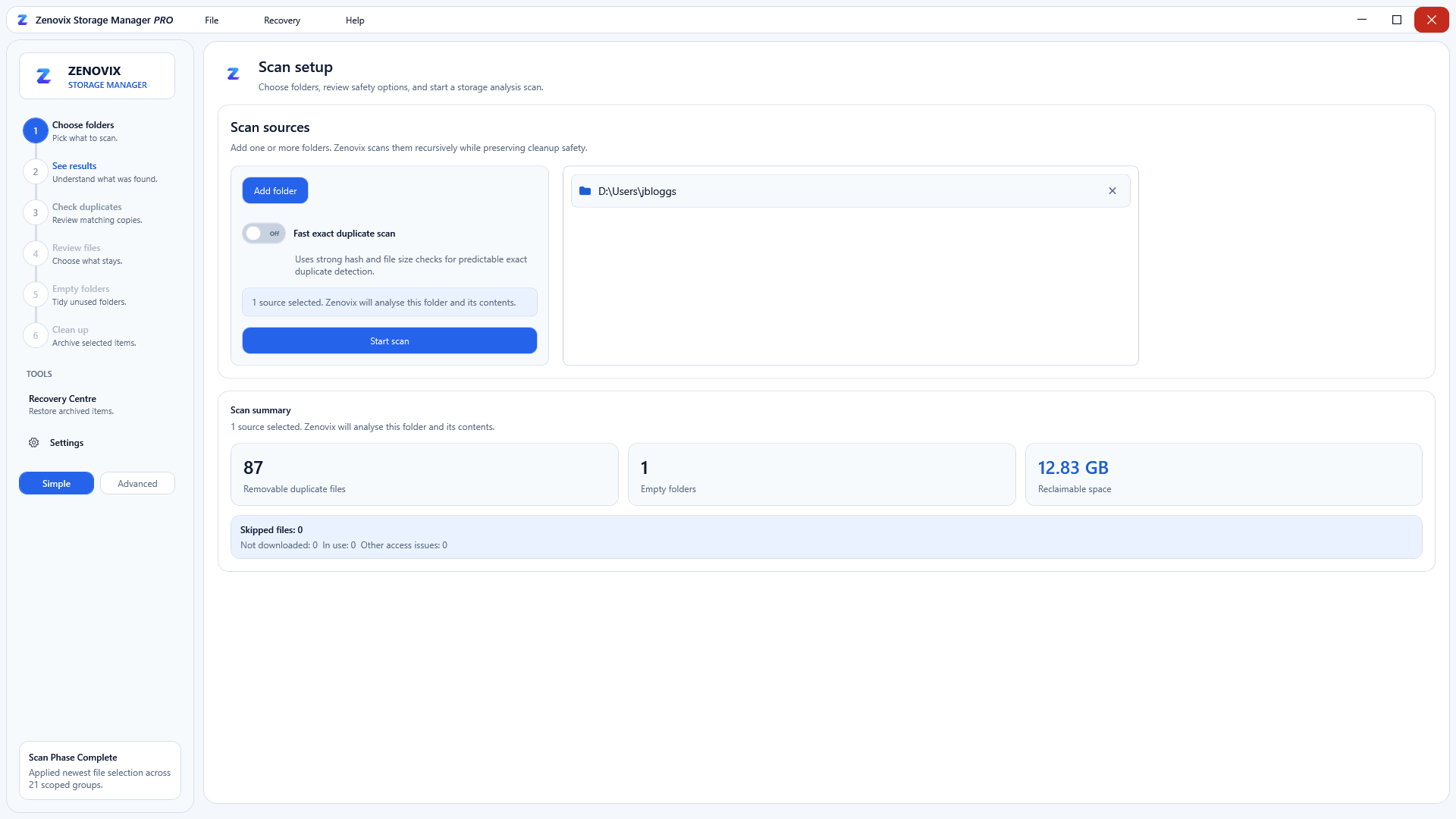
Choose what to scan
Pick folders or drives and start a full analysis in one click. Zenovix scans locally, so your files never leave your PC.
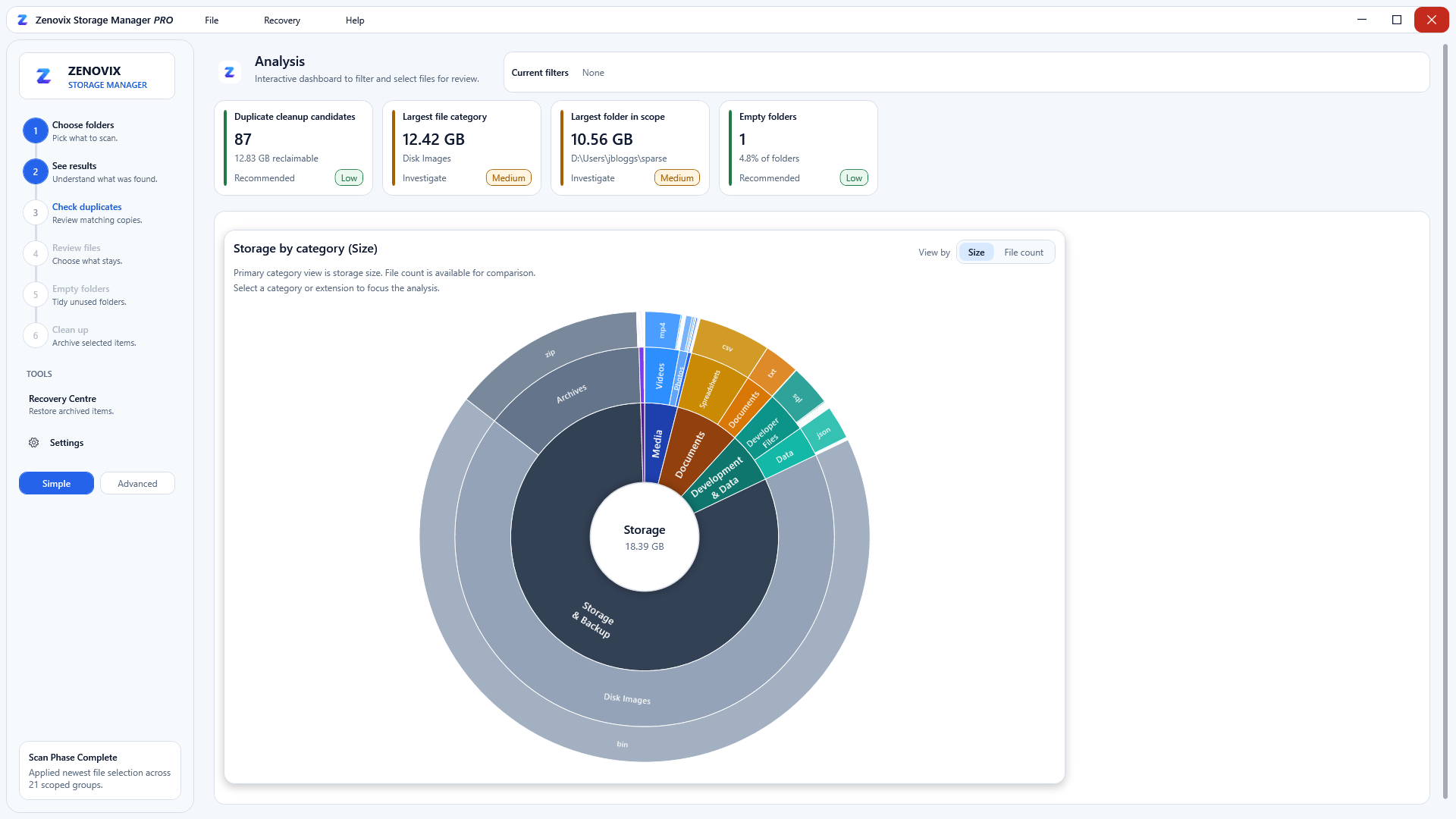
Understand your storage at a glance
Interactive charts break storage down by category, age and size, with actionable insights that lead straight to review.
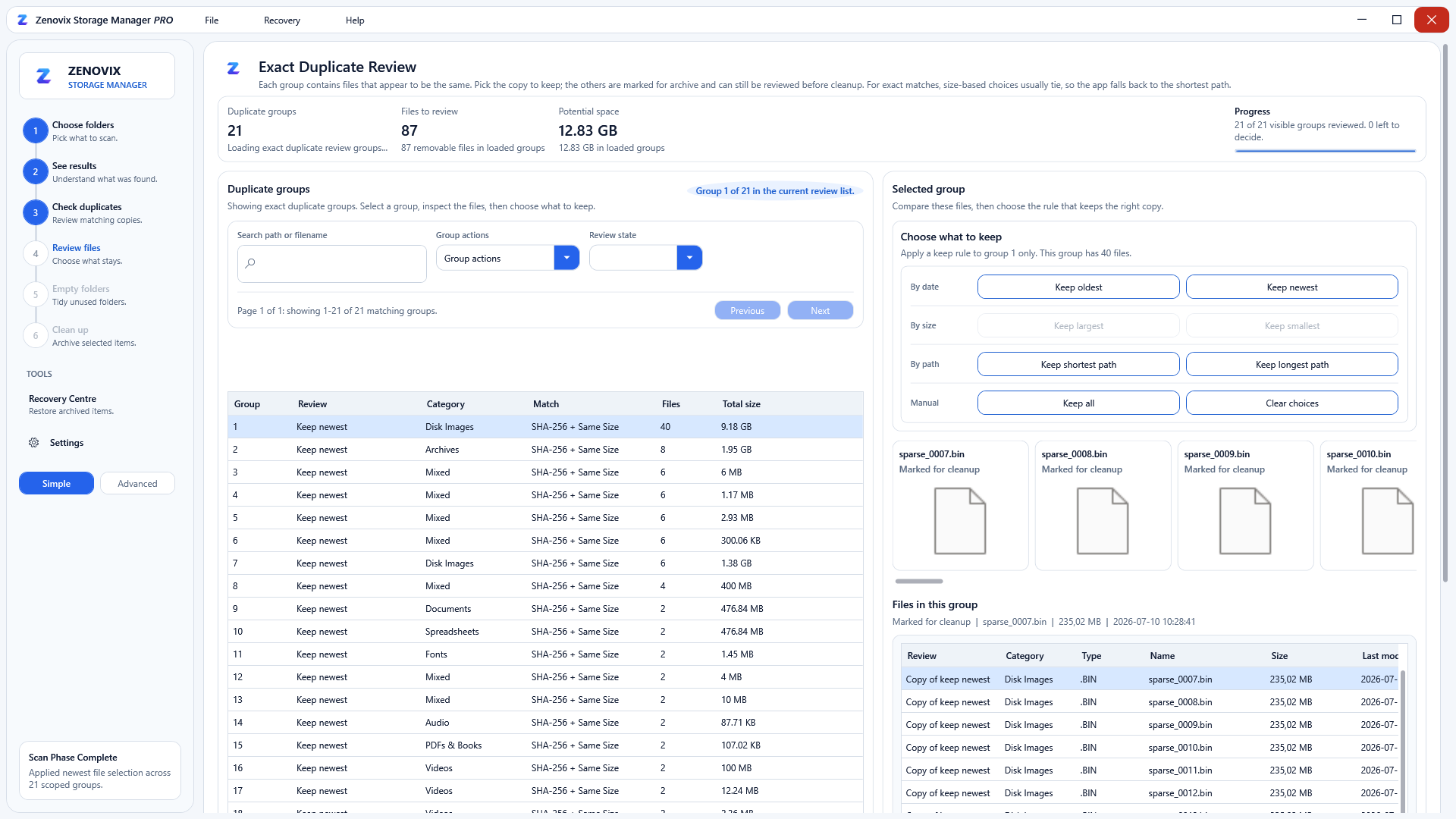
Review exact duplicates with confidence
Identical files are grouped by SHA-256 hash. Keep the newest or decide file by file; nothing changes until you execute the cleanup.
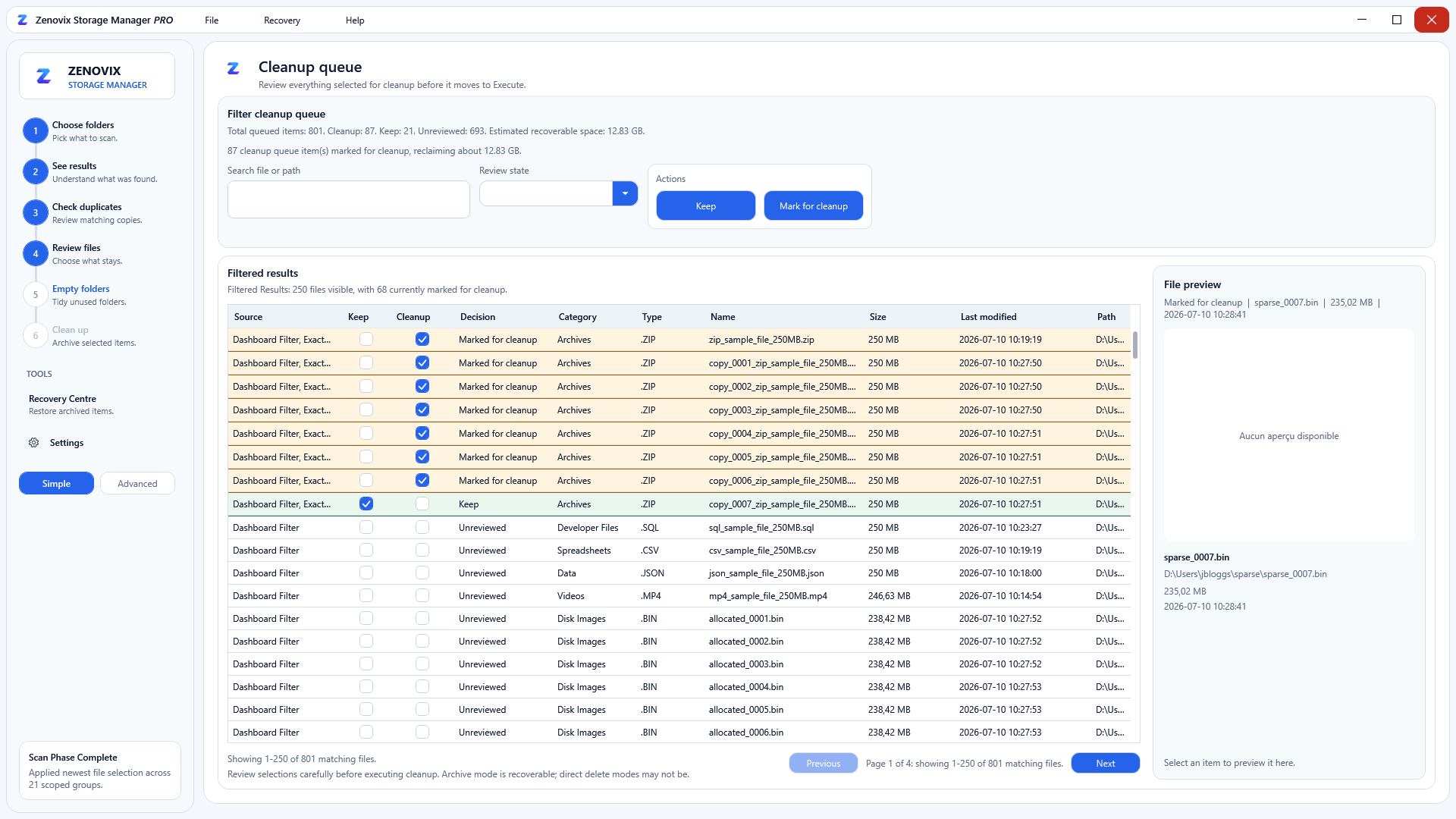
Confirm every file before cleanup
A final workbench lists every marked file, so you can double-check each decision before anything is archived.
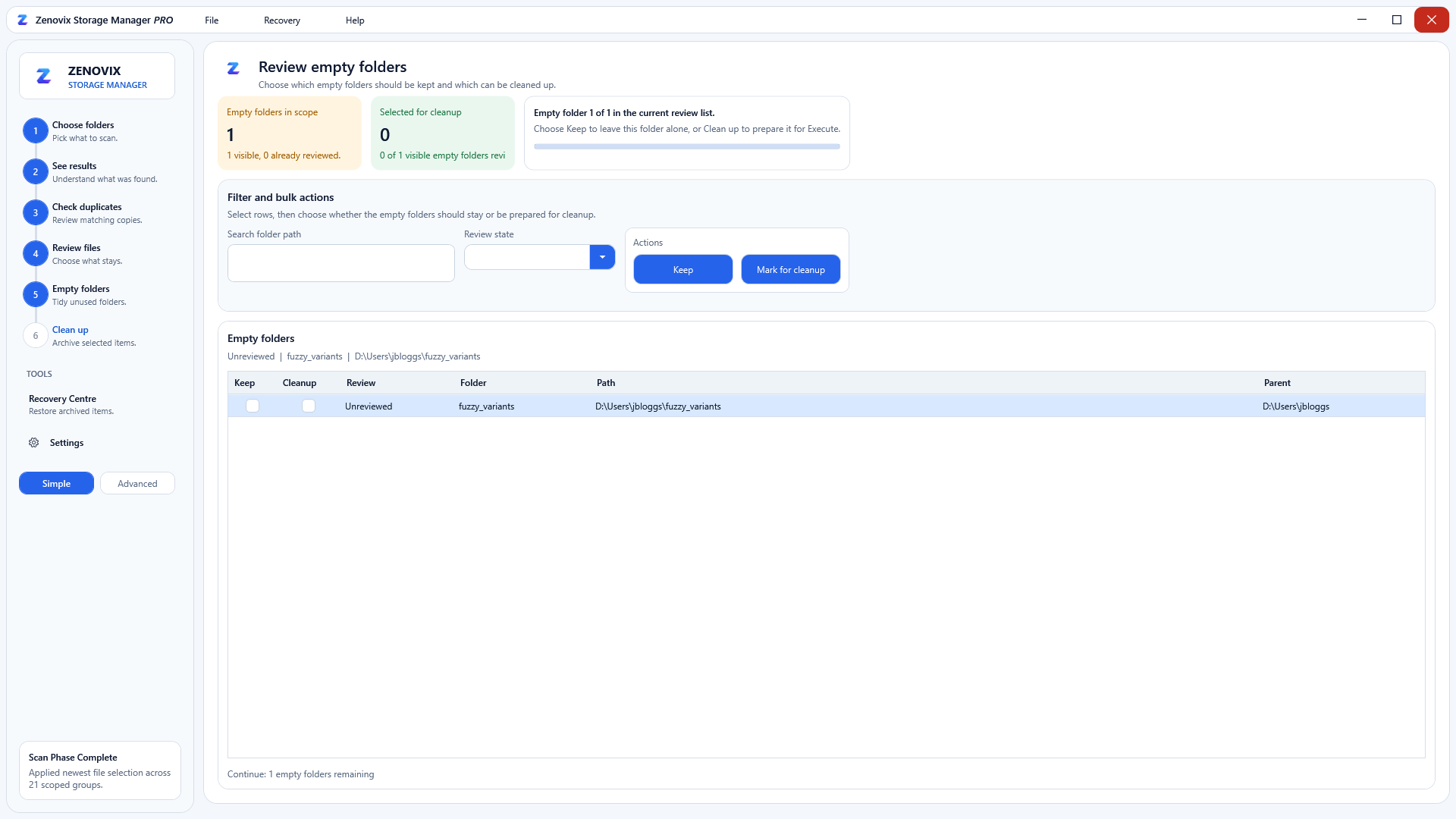
Tidy up leftover empty folders
Zenovix finds folders that are left empty after cleanups and lets you review them before removal.
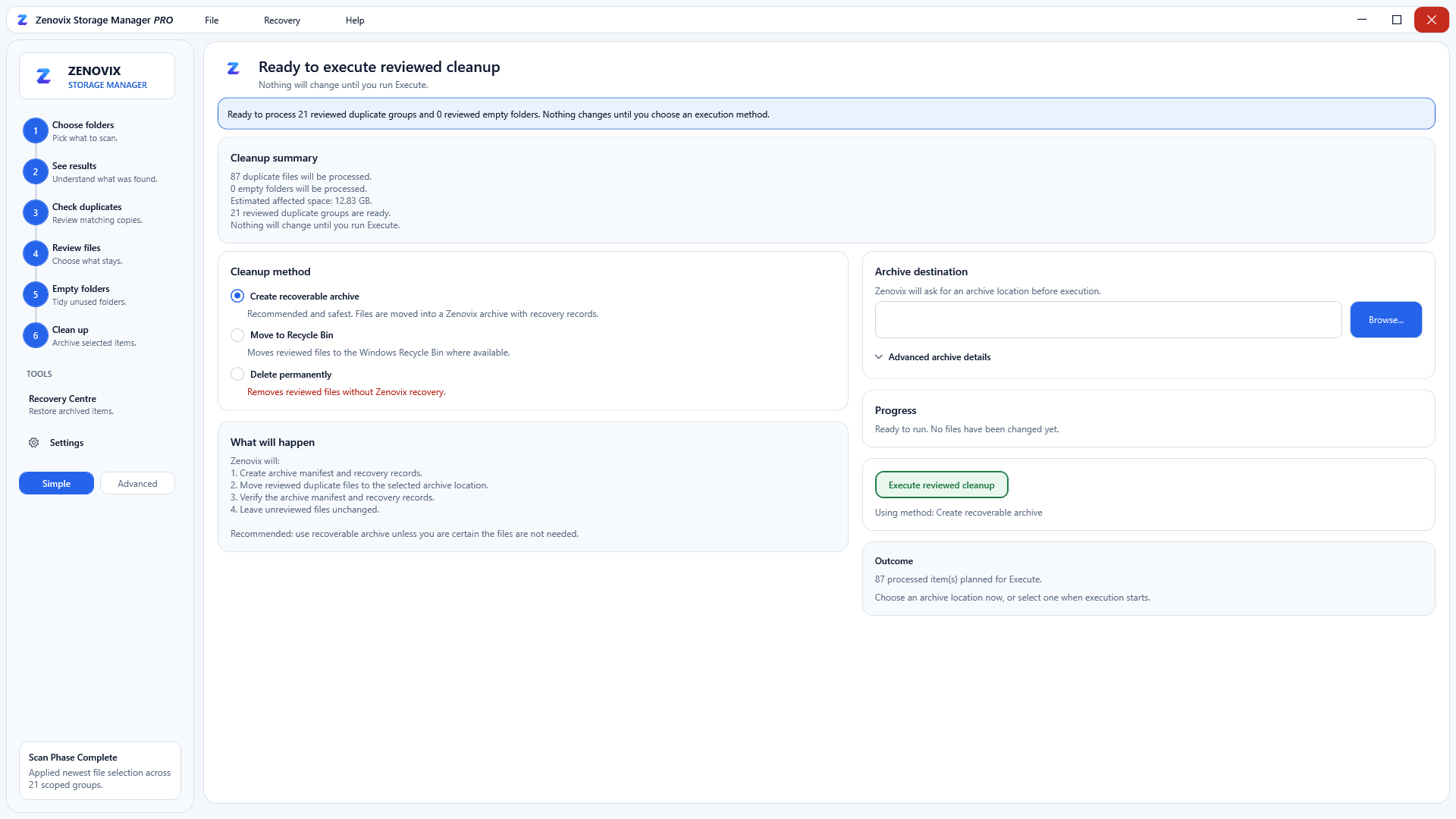
Clean up safely, with recovery built in
Reviewed files move into a recoverable archive with a full manifest, so undo is always available.
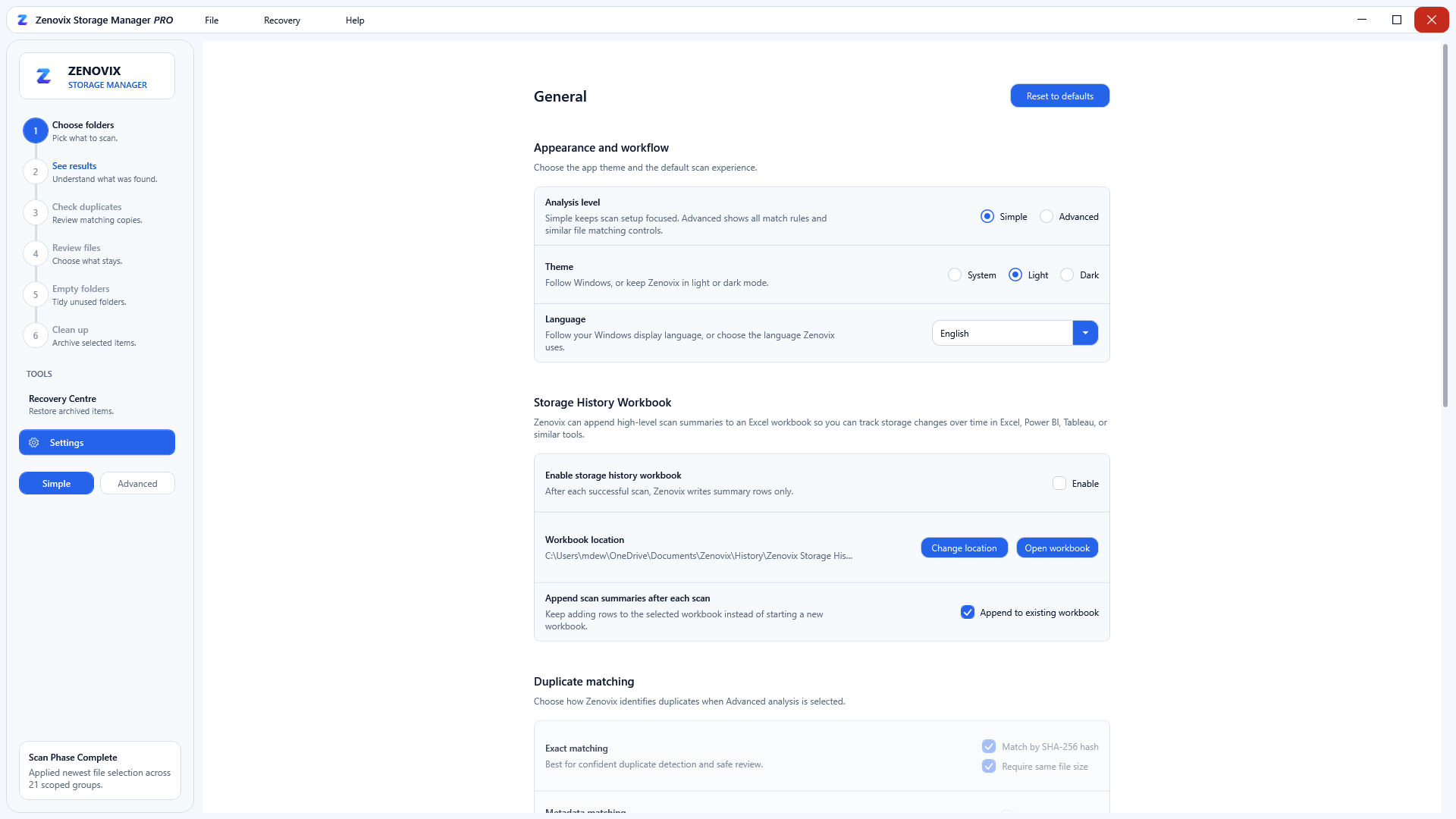
Your language, your theme, your rules
Zenovix speaks English, German, French, Spanish and Italian, with light and dark themes and configurable scan defaults.
Free for Windows
Try the full review workflow yourself.
Download Zenovix Storage Manager free from the Microsoft Store and analyse your drives locally — nothing is deleted automatically.
