If your Windows drive is filling up, three names come up again and again: WizTree, TreeSize and WinDirStat.
They all help you find where disk space has gone, but they are not trying to solve exactly the same problem. WizTree is built around speed. TreeSize is stronger for detailed storage analysis and reporting. WinDirStat is useful when you want a visual treemap view.
The right choice depends on whether you only need to find large files, or whether you also need to review, track and safely act on what you find.
Quick answer
| Need | Best fit |
|---|---|
| Fastest way to find large files and folders | WizTree |
| Detailed disk usage analysis and reporting | TreeSize |
| Free visual treemap based disk usage view | WinDirStat |
| Built in Windows cleanup for temporary files | Windows Storage Sense |
| Review first cleanup, archive, recovery and history | Zenovix Storage Manager |
The rest of this article explains the reasoning behind each recommendation.
WizTree vs TreeSize
WizTree's official positioning is speed. It calls itself the fastest disk space analyser, helps find large files and duplicate files, exports CSV data, and reads the NTFS Master File Table directly on NTFS drives instead of walking every folder. That is why a full drive scan can finish in seconds.
TreeSize is broader. Its official pages highlight visualisations, folder breakdowns, duplicate and large file finder features, exports, task scheduler options and command line parameters in the Professional edition. It is a mature product aimed at people who analyse storage regularly, not just once.
If you want a quick one-off answer to "what is filling this drive?", WizTree gets you there fastest. If you analyse disk usage as part of ongoing work and need reporting, scheduling or more detailed breakdowns, TreeSize is the stronger fit.
WizTree vs WinDirStat
WizTree is the better answer when raw speed matters most. On an NTFS drive it is dramatically faster than a traditional folder-by-folder scan.
WinDirStat is the better answer when you want a free, visual map of storage. The official WinDirStat site describes it as a disk usage analyser and cleanup assistant with tree views, duplicate files, search results, file watcher views, a treemap and an extension list. The treemap is the feature people remember: one picture of the whole drive, where every file is a block sized by how much space it uses.
Both are free for personal use, so this choice is mostly about how you prefer to explore: WizTree's ranked lists and speed, or WinDirStat's visual map.
TreeSize vs WinDirStat
TreeSize is the more complete commercial-style storage management product, especially for reporting and professional workflows.
WinDirStat is the open source visual analyser. It has moved on from its older reputation as unmaintained: the project's GitHub README now describes local drive and folder scanning, duplicate detection by hash, CSV workflows, saved and reloaded scans, cleanup actions and Windows maintenance shortcuts.
If your organisation needs supported software with scheduled reports, TreeSize justifies its licence. If you want a capable free tool and like the treemap way of exploring storage, WinDirStat remains a solid choice.
Where Windows Storage Sense fits
Before installing anything, it is worth knowing what Windows already does. Storage Sense and Cleanup recommendations are useful for common Windows cleanup tasks.
Microsoft says Storage Sense can remove items such as temporary files and Recycle Bin content, while Cleanup recommendations can identify temporary files, system files, large or unused files, cloud synced files and unused apps.
None of these built-in tools show you a detailed breakdown of your own files, and none of them help you review duplicates. But for routine system clutter, Storage Sense may be all you need.
Where Zenovix fits
Zenovix Storage Manager is not trying to be the fastest single purpose disk size viewer, and it is not trying to replace every professional storage reporting product.
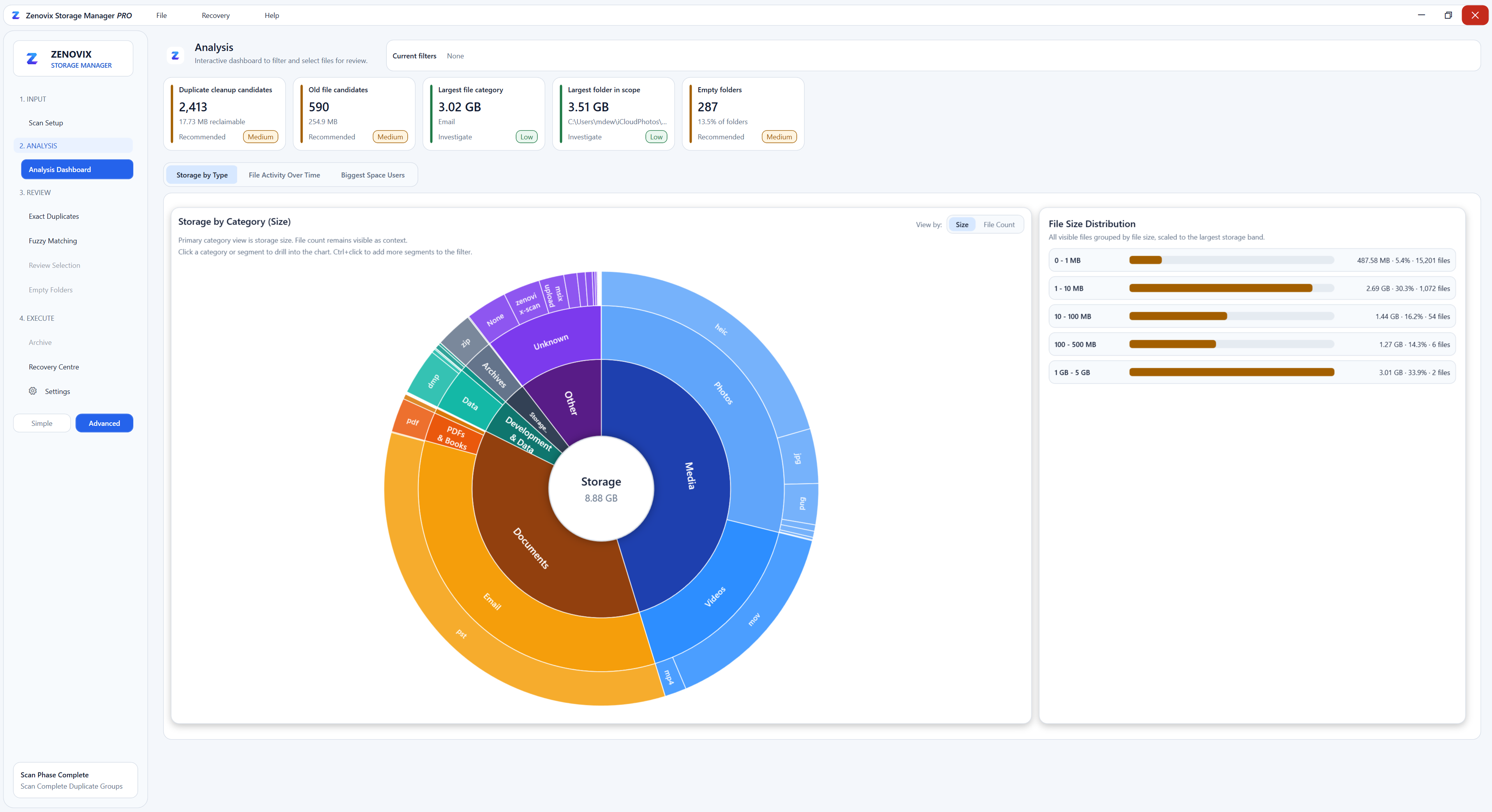
It fits best when the difficult part is not finding files, but deciding what to do with them. Zenovix is built around a review-first workflow: analyse storage, inspect exact and similar duplicate candidates, filter the results, mark files as Keep or Clean up, then choose the right action.
The Free edition includes local scan, analysis, review and direct cleanup tools: scanning selected folders and drives, interactive dashboards, exact and fuzzy duplicate candidate review, and Recycle Bin or permanent delete after confirmation.
Pro adds saved scan reviews, CSV export, the Zenovix CLI, Storage History Workbooks, and archive, restore and Recovery Centre workflows. The CLI is read only by design: it deliberately does not delete, archive, restore, clean, move or rename files, which makes it safe for scheduled reporting.
In practice, Zenovix pairs well with the tools above rather than competing head-on with them. A fast analyser tells you where the space went. Zenovix helps you work through the files carefully, archive the ones you are unsure about, and keep a record of what you did.
For a Zenovix-led comparison that also covers CCleaner, see Zenovix vs CCleaner, TreeSize, WinDirStat and WizTree.
Which tool should you use?
Use WizTree if you want the fastest route to the biggest files.
Use TreeSize if you want a mature storage analysis and reporting tool.
Use WinDirStat if you want a free visual treemap view.
Use Windows Storage Sense for common Windows cleanup categories.
Use Zenovix when you want to work through your own files more carefully: review duplicates and similar files, track storage history, archive uncertain items, and make cleanup decisions after checking the evidence.
A note on the product names mentioned
Product names mentioned in this article are used for fair comparison only.
WizTree, TreeSize, WinDirStat and Windows are separate products owned by their respective companies or projects. Zenovix is not affiliated with, endorsed by, or sponsored by any of them.
Learn more
Review storage before cleanup decisions
See how Zenovix Storage Manager helps Windows users analyse disk usage, find duplicate files, archive old files and clean up storage with review before action.